
Documents to Structured Data — AI-Powered PDF Extraction In Seconds
Extract data from any document, review it with your team, and let AI act on it.
100,000+ documents processedNo code required
Still Manually Extracting Data from Documents?
Hours lost to manual data entry
Instant automated extraction
Your team re-types the same fields from PDFs into spreadsheets — every day, across dozens of document types
Tavnit extracts structured data from any document in seconds — no templates, no manual work
Errors multiply at scale
Validated before it lands
One typo in an invoice number cascades downstream. Different formats, handwriting, and layouts make mistakes inevitable
Every value carries a confidence score, Cleaner rules check it against your own data, and anything doubtful goes to a reviewer before it propagates
No visibility or control
Human review, fully audited
No audit trail, no approval workflow, no way to know if extracted data was reviewed or who handled it
Pause any run for review. Assigned reviewers correct and approve results before delivery — every edit recorded in an append-only audit trail
How It Works
From document to structured data to action — in 6 simple steps
Create a Flow
In minutes create an extraction flow, simply explaining what you want to capture
Upload Document
Drop your PDF via UI, forward an email, or call our API
Extract Data
Intelligent field detection with tables, metadata, and validation
Clean & Transform
Automatic formatting, categorization, lookups, and calculations with Cleaners
Review & Approve
Optionally pause for human review — correct, approve, or reject before delivery
Store, Deliver & Act
Data lands in Buckets, fires webhooks, fills PDF forms, or launches an AI Agent
Don't take our word for it
Walk through a real invoice — from inbox to structured data — in about a minute. No signup.
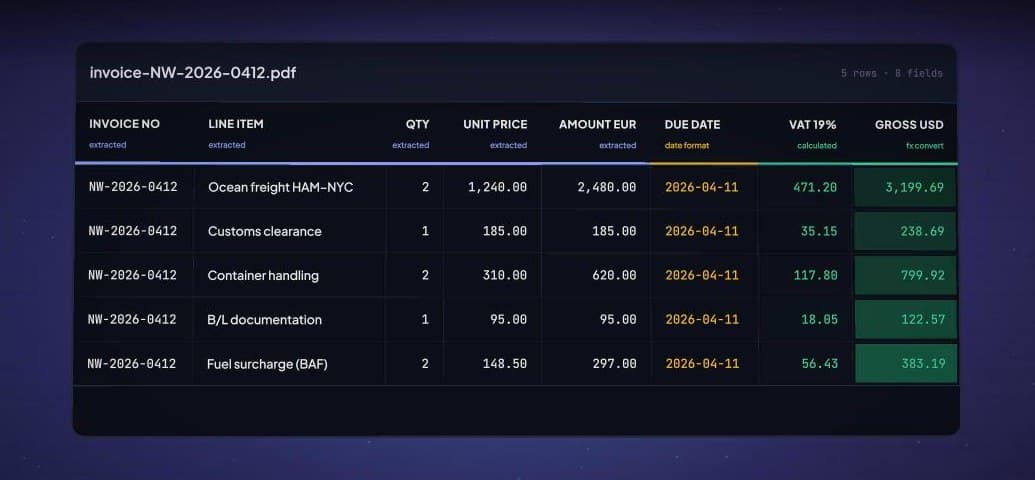
Extract, clean, review, store, and act — all in one pipeline
AI Extraction
Multiple leading AI models pull tables, metadata, handwriting, and complex layouts out of any document — with a confidence score on every field.
Flow Builder
Describe what to capture in plain language and Tavnit builds the schema — metadata fields for single values like vendor and total, table fields for line items. No code.
Routing & Splitting
Splitters break multi-document PDFs apart, then Collections route each document to the right flow automatically.
AI Data Cleaning
Cleaners format, translate, convert currencies and units, calculate fields, match reference data — even classify HS tariff codes.
AI Agents
Browser-automation agents act on extracted data across the web — and you can watch every session live.
Human in the Loop
Pause runs for review — extracted data next to the source document. Fix values in place, approve or reject, and every action lands in an append-only audit trail.
MCP Connector
Add Tavnit to claude.ai, Cursor, or any MCP client — your AI assistant can build flows, attach cleaners, run extractions, and query your data.
Buckets & Analytics
Editable tables where extracted data lands. Fix a cell in place, export CSV/Excel, search columns semantically — and open built-in analytics with one click.
API, Email & Webhooks
Send documents in by REST API or a forwarding address; results come out as webhook JSON, filled PDF forms, or bucket rows — Zapier and Make included.
Teams & Roles
Four roles with clear boundaries: Owners control billing and settings, Admins manage people and content, Members run and view, Viewers read only. Unlimited seats.
AI Extraction
Multiple leading AI models pull tables, metadata, handwriting, and complex layouts out of any document — with a confidence score on every field.
Flow Builder
Describe what to capture in plain language and Tavnit builds the schema — metadata fields for single values like vendor and total, table fields for line items. No code.
Routing & Splitting
Splitters break multi-document PDFs apart, then Collections route each document to the right flow automatically.
AI Data Cleaning
Cleaners format, translate, convert currencies and units, calculate fields, match reference data — even classify HS tariff codes.
AI Agents
Browser-automation agents act on extracted data across the web — and you can watch every session live.
Human in the Loop
Pause runs for review — extracted data next to the source document. Fix values in place, approve or reject, and every action lands in an append-only audit trail.
MCP Connector
Add Tavnit to claude.ai, Cursor, or any MCP client — your AI assistant can build flows, attach cleaners, run extractions, and query your data.
Buckets & Analytics
Editable tables where extracted data lands. Fix a cell in place, export CSV/Excel, search columns semantically — and open built-in analytics with one click.
API, Email & Webhooks
Send documents in by REST API or a forwarding address; results come out as webhook JSON, filled PDF forms, or bucket rows — Zapier and Make included.
Teams & Roles
Four roles with clear boundaries: Owners control billing and settings, Admins manage people and content, Members run and view, Viewers read only. Unlimited seats.
The Complete Document Automation Platform
Extract, clean, review, store, and act — all in one pipeline
invoice_2043.pdf
Extracted fields
AI Extraction
Multiple leading AI models pull tables, metadata, handwriting, and complex layouts out of any document — with a confidence score on every field.
AI Extraction
Any document in.
Clean, structured data out.
Tavnit reads your documents the way a person would — then hands you validated fields with a confidence score on every value, already cleaned and formatted.
No templates to build
Create a flow by describing what to capture, in plain language. Field hints and validation keep output consistent across layouts.
Reads what humans read
Multi-page PDFs, photos, scans, handwriting, and mixed languages — powered by multiple leading AI models.
Cleaned before it lands
Cleaners normalize dates and numbers, translate, convert currencies, and enrich values before anything is stored.
Human in the Loop
AI does the work.
Your team has the final say.
Turn on review for any flow and runs pause before anything moves downstream. Reviewers fix mistakes in place and approve with one click — with a complete record of who did what.
Named reviewers
Assign reviewers per flow — they get an email the moment a run needs eyes.
Edit in place
Correct cells, add rows, or fix columns right in the review screen — no re-processing.
Review only what needs it
Pause every run, or let Cleaner rules trigger review only when a value looks off.
Append-only audit trail
Every view, edit, approval, and rejection is recorded permanently. Nothing changes silently.
NewAgents
Extraction was step one.
Now your data acts.
Describe a mission in plain language. A Tavnit Agent opens a real browser, works through the website, and brings back structured results — no scripts, no scrapers to maintain.
Chain to any flow
A finished extraction can launch an agent automatically, feeding extracted fields in as inputs.
Watch it work, live
Every run streams a live view of the browser session — follow each step as it happens.
Typed results, delivered
Agents return data that matches your schema, delivered by email, webhook, or straight into a Bucket.
Platform tour
The whole operation, one workspace
Real screens, real data. From first upload to finished table — and every call recording in between.
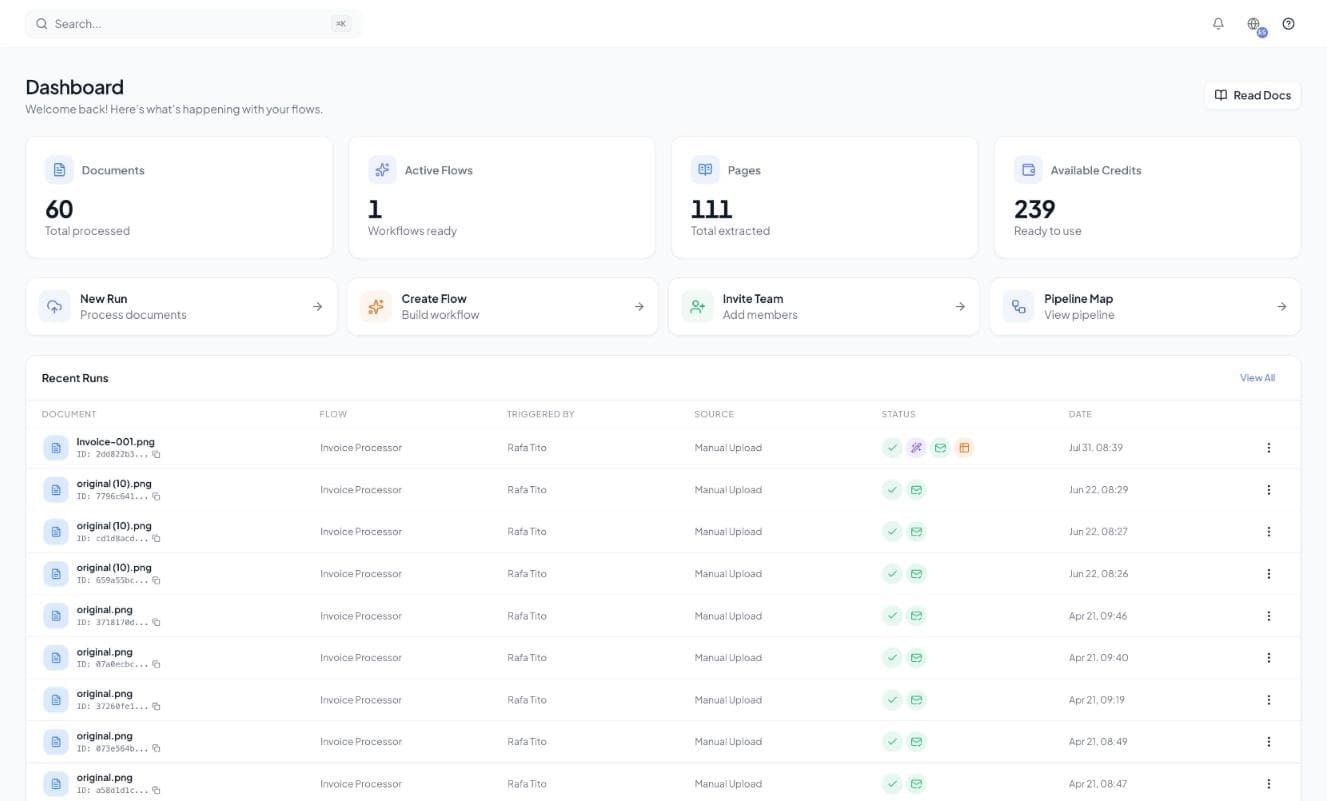
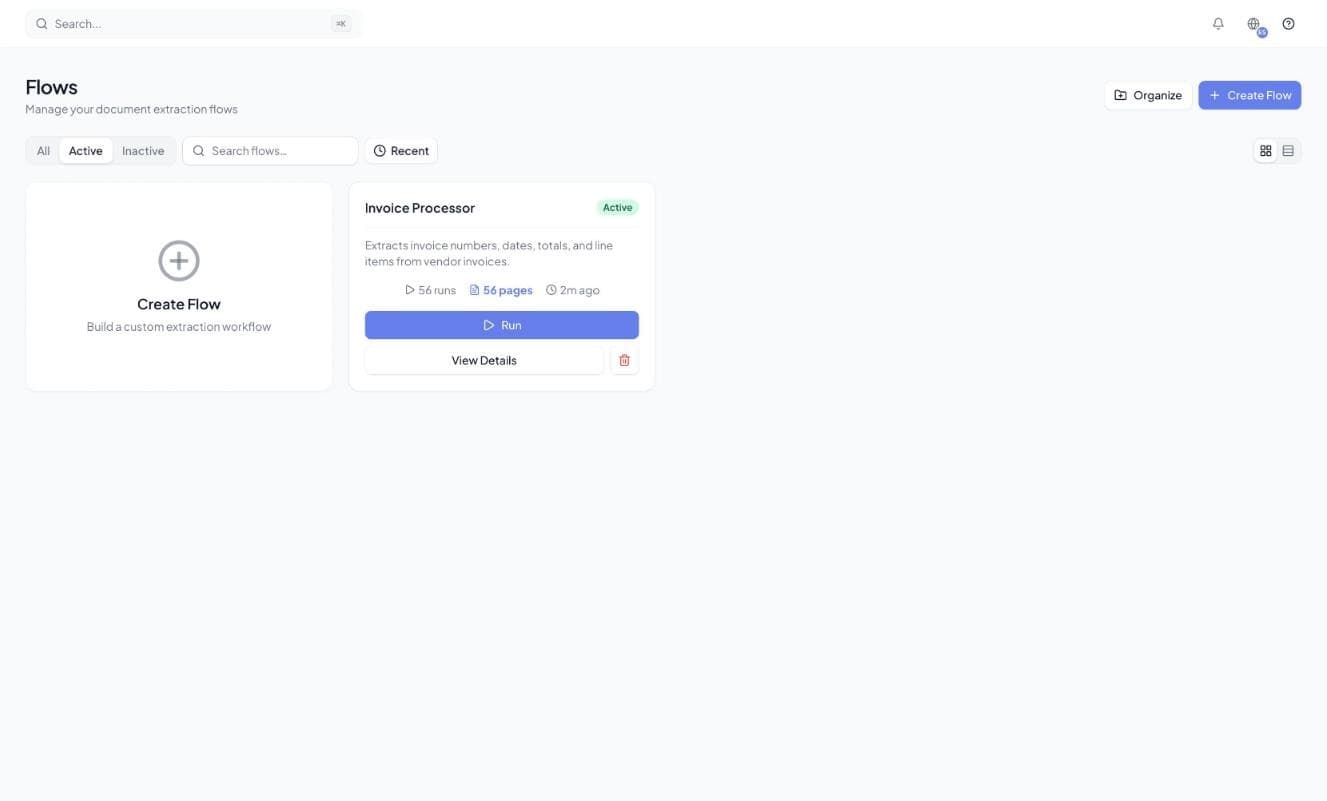
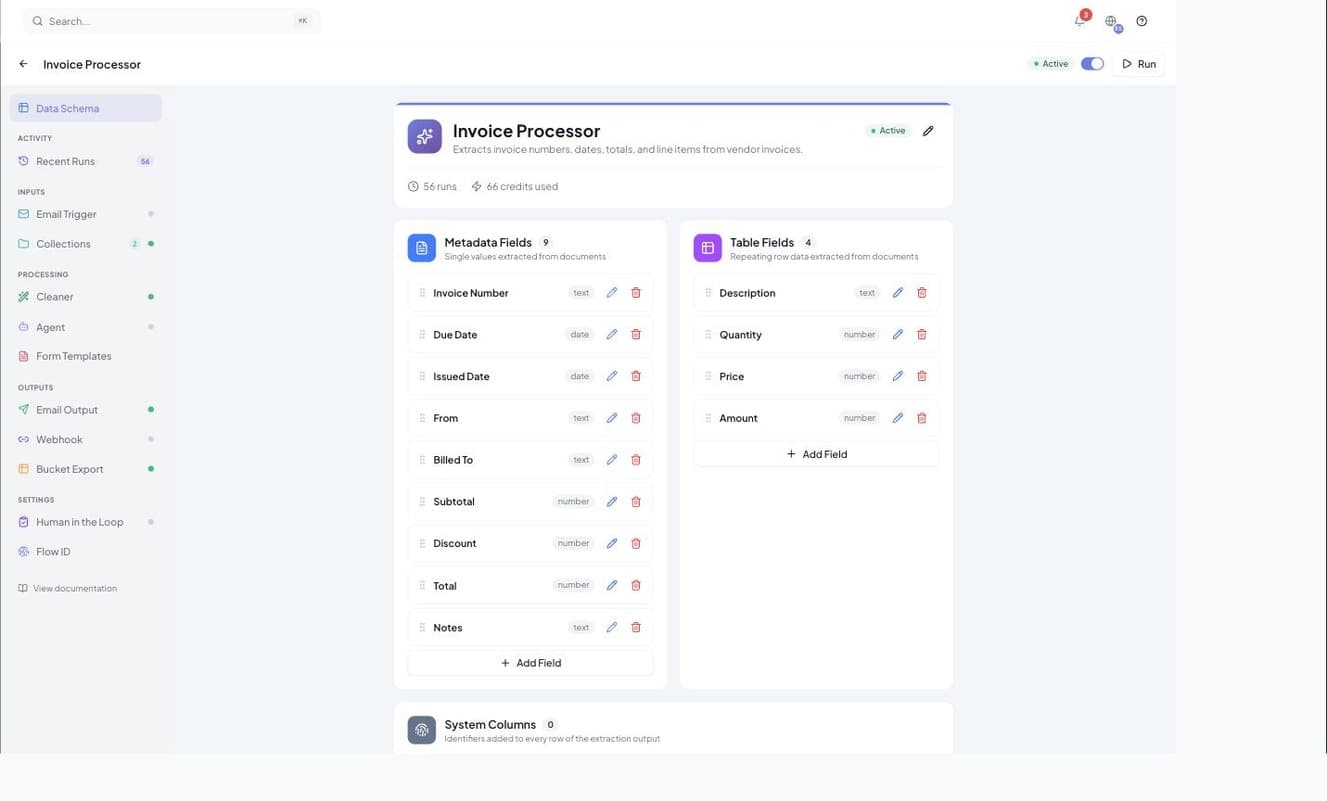
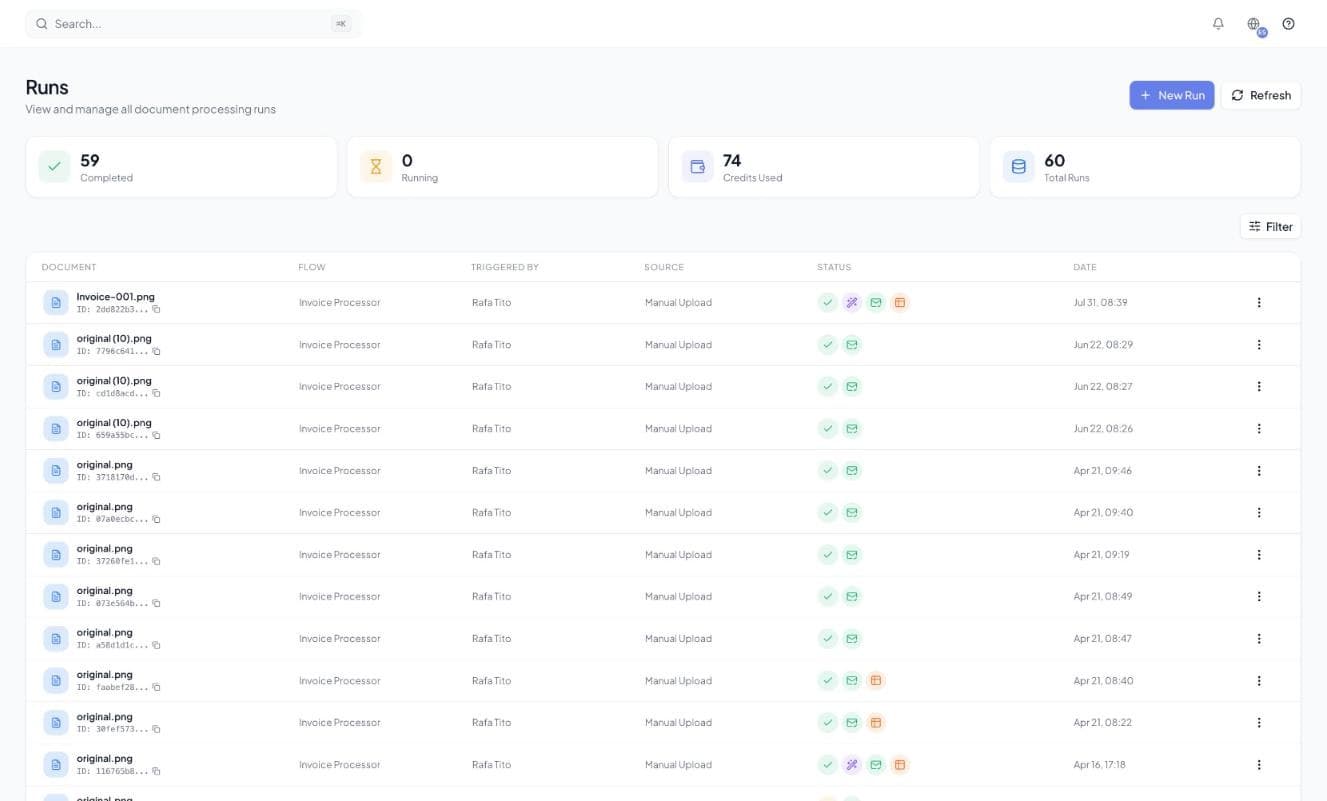
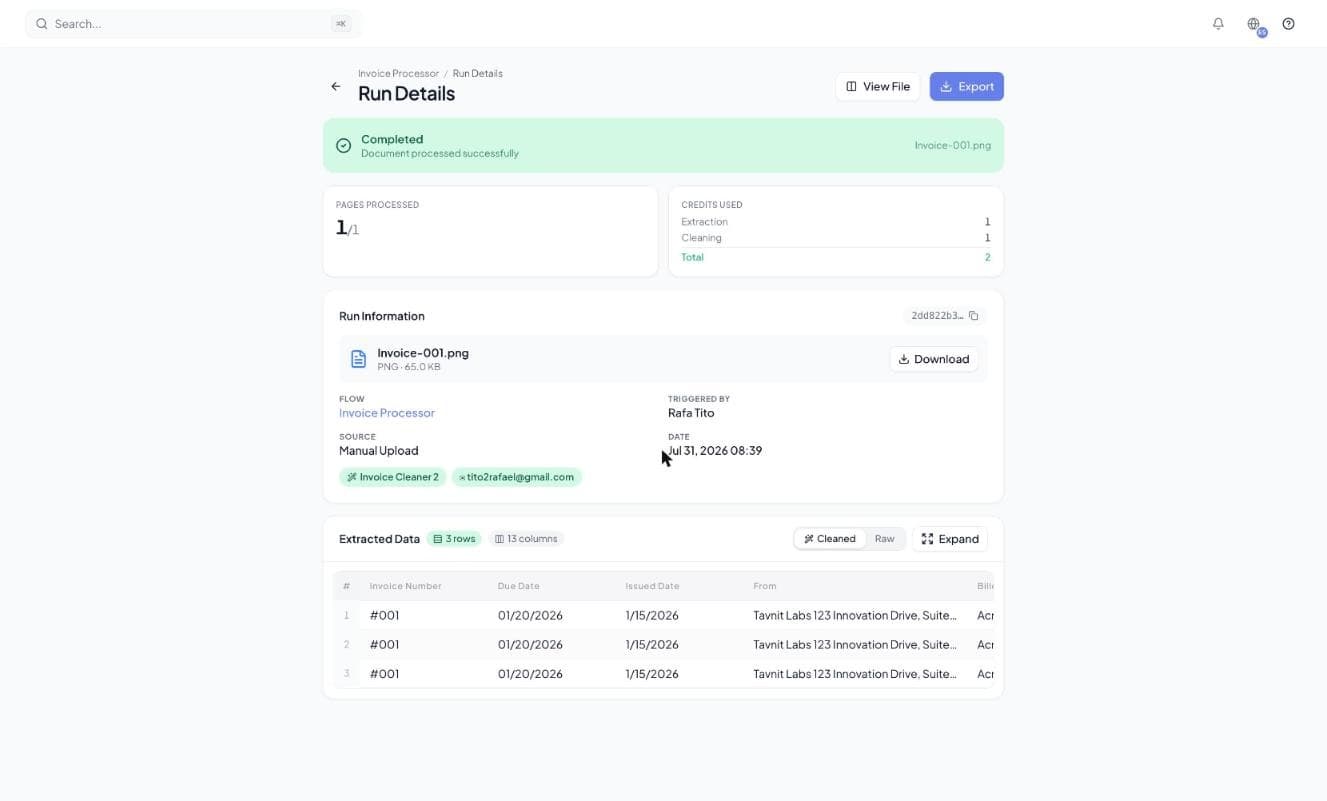
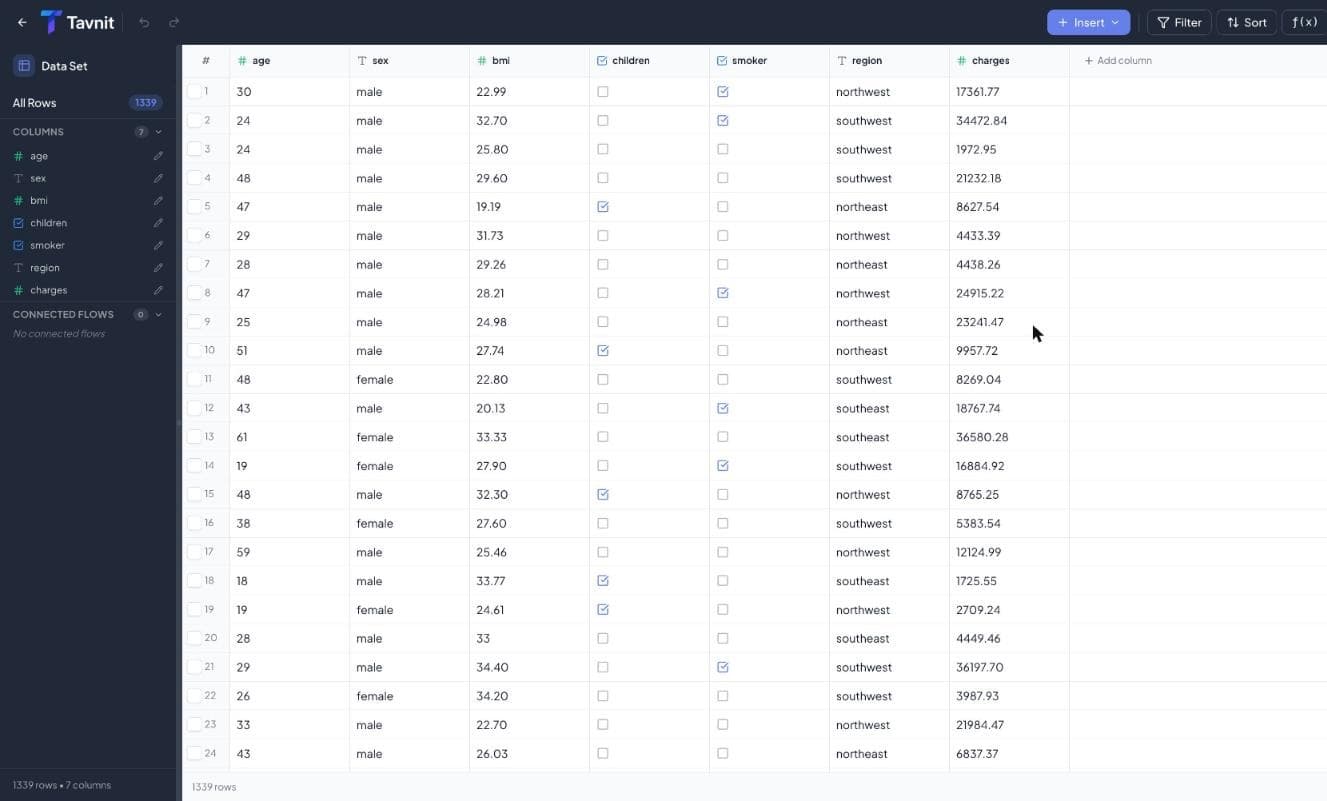
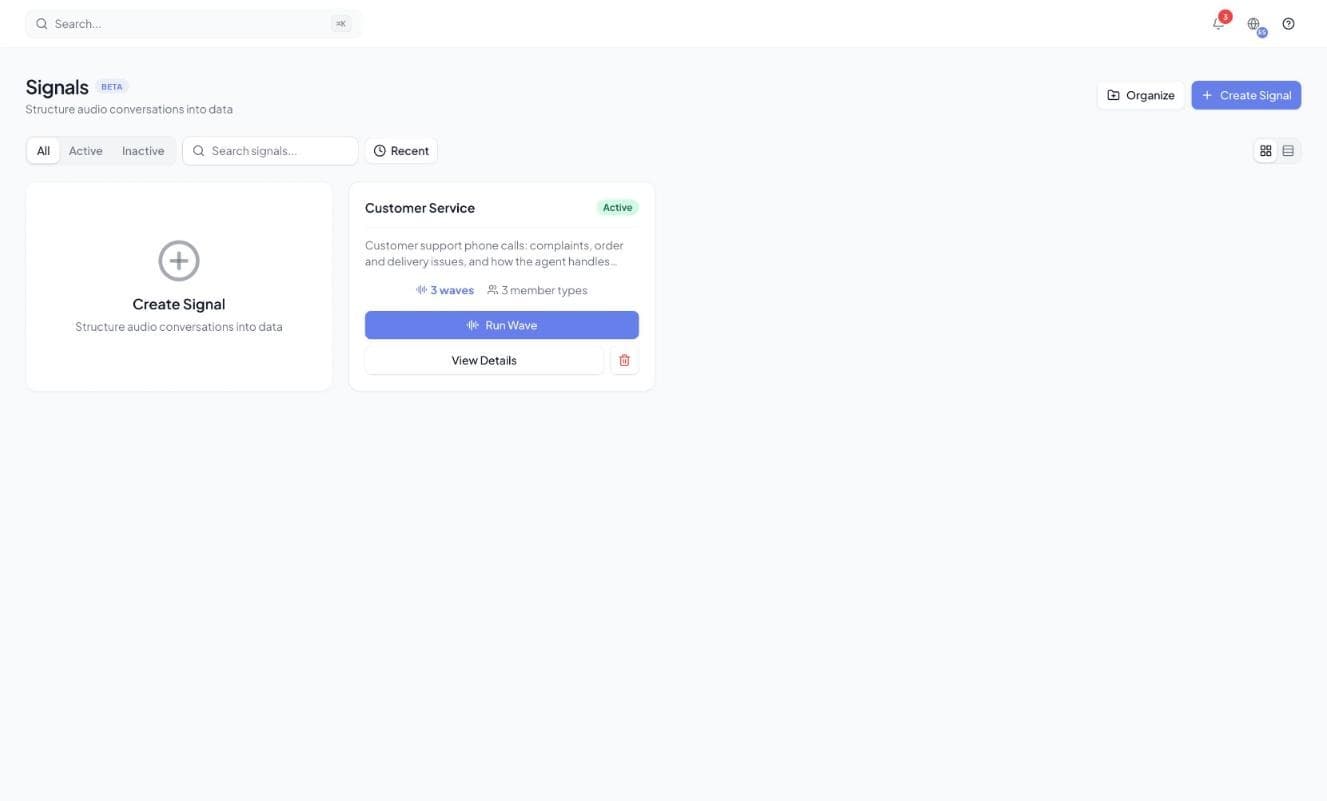
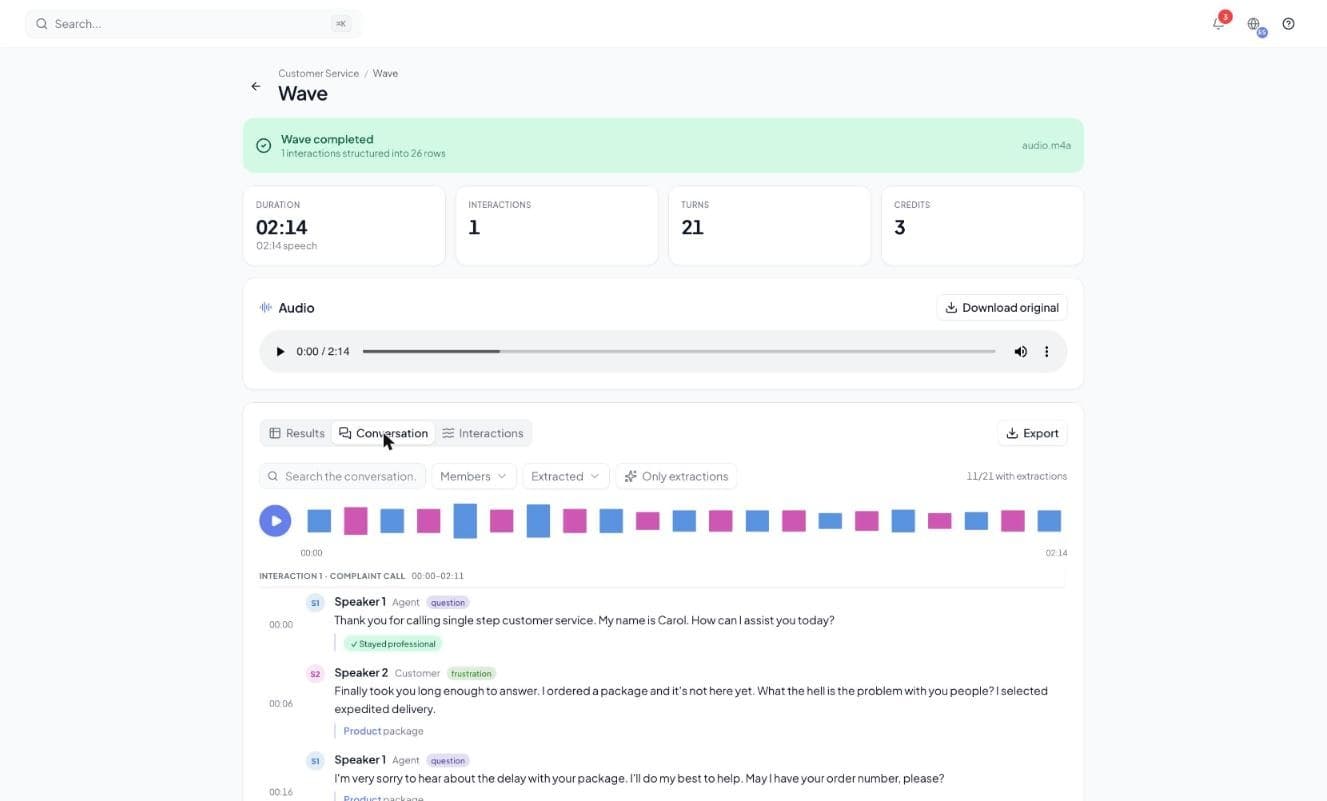
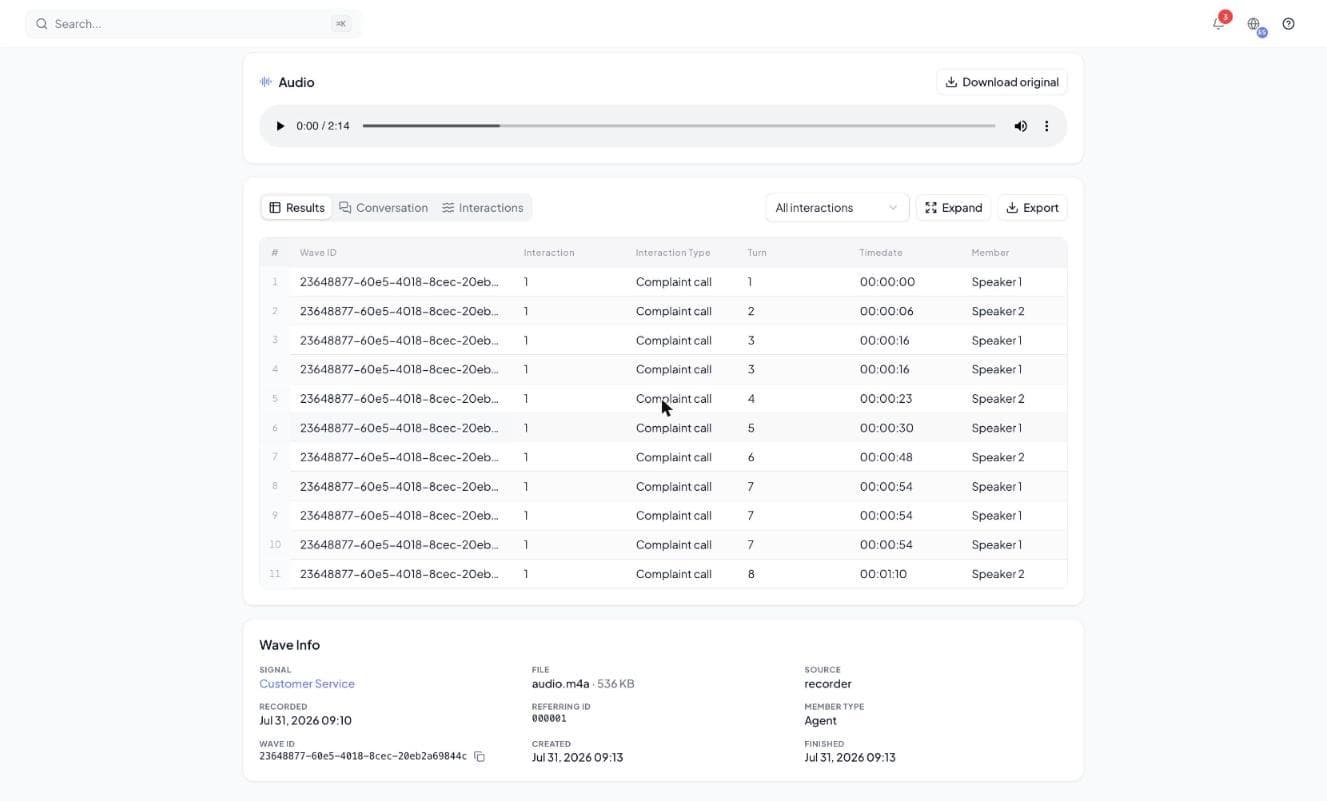
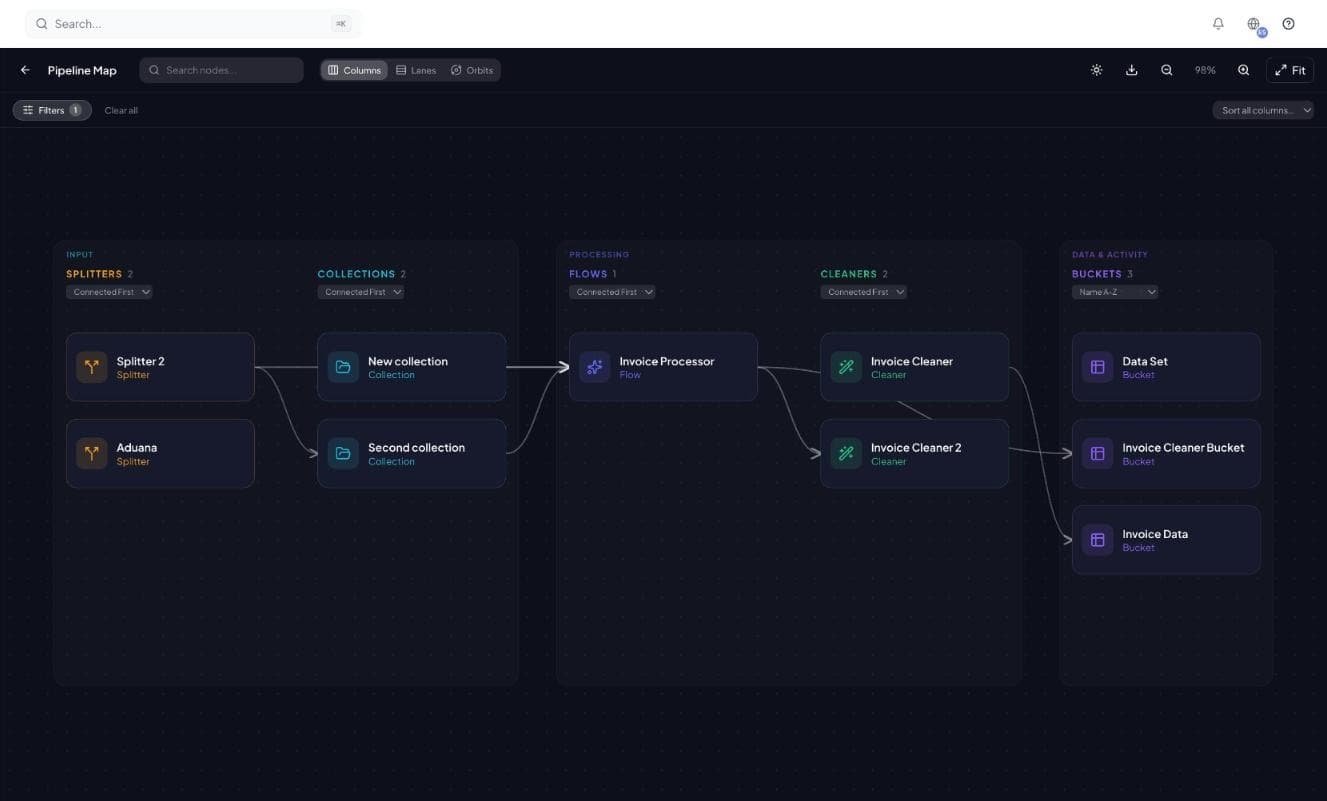
Dashboard. Documents processed, credits left, and every recent run — the morning check-in screen.
See how teams use Tavnit to automate document processing
Built for Real-World Workflows
See how teams use Tavnit to automate document processing
Finance Teams
Invoice Processing
The problem
Processing 100+ invoices monthly means hours of manual data entry, prone to errors and delays.
The solution
- 1Extract vendor, invoice number, date, line items
- 2Cleaned and categorized automatically
- 3Stored in a searchable Bucket
Integrations
Five ways in, six ways out, all through the same Flow
Documents in
- Upload
- REST API
- MCP
- No-code
Results out
- Webhooks
- Buckets
- Agents
- PDF forms
- Excel · CSV
Integrations
Multiple Ways to Integrate
Five ways in, six ways out, and every one runs the same Flow: your schema, cleaning rules and review apply however a document arrives.
Documents in
Your Flow
Results out
Pick any route to see how it works. Every one runs the same Flow.
Frequently Asked Questions
Everything you need to know before your first flow
Tavnit is an AI-powered document platform that turns PDFs and images into clean, structured data — and then puts that data to work. It extracts with AI, cleans and enriches the results, routes them through human review when you want it, stores everything in built-in databases, and can even send AI agents to act on the data across the web. All without code.
Any PDF or image-based document: invoices, contracts, receipts, expense reports, resumes, forms, purchase orders, customs paperwork, and more — including scans and handwriting.
Agents are AI-powered browser automation bots. You describe a mission in plain language and give a starting URL; the agent opens a real cloud browser, works through the website, and returns structured data matching your schema. You can watch every session live, and a flow can launch an agent automatically with its extracted fields as inputs.
Enable review on any flow and its runs pause before results are delivered. Assigned reviewers are notified by email, can edit results directly in the review screen, and approve or reject the run. Every view, edit, and decision is recorded in an append-only audit trail. You can also trigger review conditionally, only when a Cleaner rule flags a value.
Yes. Tavnit ships an MCP (Model Context Protocol) connector: generate a connector URL in the app and paste it into claude.ai (Pro and up), Cursor, or any MCP client. Your AI assistant can then process documents through your flows and query your Buckets directly.
Yes. Tavnit provides a full REST API with API key authentication, webhook notifications, email triggers, and Python and JavaScript examples — plus no-code recipes for Zapier, Make, n8n, and Power Automate.
Collections let you group multiple extraction flows under a single endpoint. AI automatically analyzes each incoming document and routes it to the correct flow for processing.
Cleaners are Tavnit's post-extraction transformation layer. They standardize formats, translate text, convert currencies and units, calculate fields, categorize with AI, match values against your reference data, and classify HS tariff codes.
Stop Re-Typing.
Start Automating.
Create your first extraction flow in minutes. Upload a document and watch structured data appear — cleaned, reviewed, and ready to act.