
Webhooks
What a webhook does
A webhook pushes results to you instead of making you ask for them. Set an HTTPS endpoint on a flow, and every time a run completes, Tavnit sends that run's extracted rows to your URL as a JSON POST — usually within a second of the run finishing.
The alternative is polling: calling the API on a timer to ask whether anything finished. Polling costs you requests, adds latency, and gets worse as volume grows. A webhook arrives once, when there is something to deliver.
| Use a webhook when | Use something else when |
|---|---|
| You want results in your own system the moment they exist | A person needs to read them — email output is better |
| You are wiring Tavnit into Make, Zapier, n8n or Power Automate | You want the data queryable inside Tavnit — use a Bucket |
| Volume is high enough that polling is wasteful | You are fetching a specific known run — call the API directly |
Set up a webhook
Webhooks are configured per flow. You need an HTTPS endpoint that accepts a POST with a JSON body — Tavnit rejects plain http:// URLs, because the payload contains your extracted document data.
- 1Get an endpoint URL. Automation platforms hand you one when you create a webhook trigger; otherwise expose your own HTTPS route.
- 2Open the flow in Flows.
- 3Find the Webhook panel, paste the URL and save.
- 4Process one test document and confirm the POST arrived. The run's log records whether delivery succeeded and what status code came back.
A Cleaner can POST its swept results independently of the flow, also HTTPS only. Use the flow webhook for per-document results; use the Cleaner webhook when you want the cleaned dataset after each sweep.
What the payload looks like
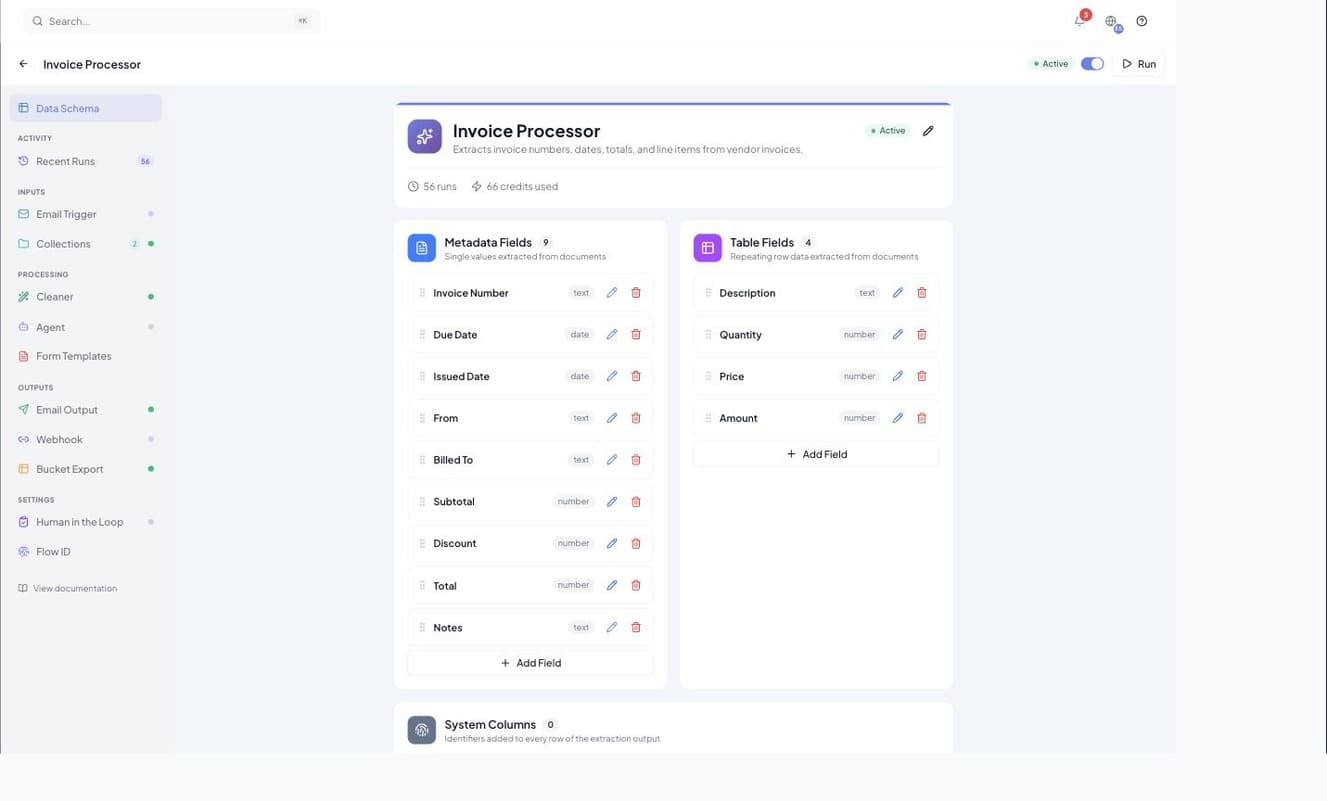
The body is the run's output plus its identifiers. Repeating line items arrive under rows, single-value fields under metadata, and run_id and flow_id tell you which run produced them.
{
  "run_id": "8f1c2b7e-4d3a-4a91-9c11-2f7b6e0d5a44",
  "flow_id": "3a9d51c0-77b2-4e18-9f6d-0c4a1b8e2d63",
  "rows": [
    {
      "Description": "Software Platform Subscription — January",
      "Quantity": 1,
      "Price": 180.00,
      "Amount": 180.00,
      "Invoice Number": "001",
      "Issued Date": "2026-01-15",
      "Total": 270.30
    }
  ],
  "metadata": {
    "Invoice Number": "001",
    "Billed To": "Acme Ltd",
    "Total": 270.30
  }
}
The field names inside rows and metadata are the ones you defined on the flow, so the payload changes shape when you change the schema. If a Cleaner is attached, what you receive is the cleaned output — converted currencies, computed columns and all.
| Key | Always present | What it is |
|---|---|---|
run_id | Yes | The run that produced this result. |
flow_id | Yes | The flow that processed the document. |
rows | Yes | One entry per extracted line item. An empty array is valid — some documents have no table. |
metadata | Yes | Single-value fields that describe the document as a whole. |
collection_run_id | No | Present when a Collection routed the document to this flow. |
split_id, splitter_doc_title | No | Present when a Splitter produced this segment. |
{
  "run_id": "...",
  "flow_id": "...",

  // present when a Collection routed the document
  "collection_run_id": "b21e9f34-8c55-4d70-a6e2-91f0c7d43a18",

  // present when a Splitter produced this segment
  "split_id": "c74a0b12-3e69-4f85-b0d7-58e2a9c61f70",
  "splitter_doc_title": "Commercial Invoice",

  "rows": [],
  "metadata": {}
}Fields holding a file or an image are not embedded in the JSON. They come through as time-limited URLs, because stored documents are private — a raw storage path would not be fetchable from your server. Download them promptly rather than storing the link.
Delivery, timeouts and retries
Tavnit waits up to 10 seconds for your endpoint to respond. A connection failure or timeout is retried once after a short pause; an HTTP error response is not retried, because your server was reached and answered.
| What your endpoint does | What Tavnit does |
|---|---|
| Responds 2xx within 10 seconds | Delivery is recorded as sent. Done. |
| Connection refused, dropped, or times out | Retried once after a short pause. If the retry also fails, delivery is marked failed. |
| Responds 4xx or 5xx | Not retried. The status code is recorded on the run so you can see what your server said. |
There is no long retry queue and no dead-letter replay. If your endpoint is down for an hour, those deliveries are lost — the runs still succeeded and their data is still in Tavnit, but you will have to fetch it over the API or re-deliver it another way. For anything you cannot afford to miss, pair the webhook with a Bucket so there is always a durable copy.
Delivery is best-effort and separate from processing. If your endpoint is unreachable, the run still completes, the data is still stored, and every other output — email, Bucket export, form fill — still fires.
Writing a receiver
The single most important rule: acknowledge fast, then work. Ten seconds sounds generous until your handler writes to a slow database. Return 200 as soon as you have the payload safely queued, and do the real processing afterwards.
from flask import Flask, request, jsonify

app = Flask(__name__)

@app.post("/tavnit-webhook")
def receive():
    payload = request.get_json(silent=True) or {}

    run_id = payload.get("run_id")
    rows = payload.get("rows", [])

    # Acknowledge immediately. Tavnit waits 10 seconds for a response and
    # treats a timeout as a failed delivery, so queue the slow work instead
    # of doing it inline.
    enqueue_processing(run_id, rows)

return jsonify({"received": True}), 200import express from "express";
const app = express();
app.use(express.json({ limit: "10mb" }));
app.post("/tavnit-webhook", (req, res) => {
const { run_id: runId, rows = [] } = req.body ?? {};
// Respond inside the 10-second window, then do the work.
res.status(200).json({ received: true });
enqueueProcessing(runId, rows).catch(console.error);
});
app.listen(3000);- Accept a reasonably large body — a long invoice with many line items is not small.
- Treat delivery as at-least-once. A retry after a timeout can deliver the same run twice, so make your handler idempotent by keying on run_id.
- Do not assume a fixed schema. Read fields by name and tolerate ones you do not recognise, so adding a flow field does not break your receiver.
- Log the raw body on failure. It is the only copy of what arrived.
The endpoint URL is the only thing standing between the internet and your extracted data. Automation platforms embed a secret token in the path for exactly this reason. Do not publish it, and rotate it if it leaks.
Webhooks from Cleaner rules and agents
Flows are not the only thing that can call you. A Cleaner conditional action can fire a webhook when a row breaks a rule, and an agent can deliver its captured output to one. These are separate configurations with separate payloads.
| Source | Fires when | Carries |
|---|---|---|
| Flow webhook | A run completes successfully | The run's rows and metadata |
| Cleaner webhook | A sweep finishes | The cleaned dataset |
| Cleaner conditional action | A row matches your rule — once per rule per run, not once per row | A notification you compose, with the matching rows |
| Agent delivery | An agent run finishes | The agent, the run, its status and the captured output |
A rule-triggered notification is dispatched as soon as the rule matches — before any review pause. That is deliberate: alert me when this happens should not wait on a reviewer. The flow webhook, by contrast, only fires after a reviewer approves.
Troubleshooting
Start at the run, not at your server. Every run logs whether webhook delivery was attempted, whether it succeeded, and what status code or error came back — which immediately tells you whether the problem is Tavnit-side or yours.
| Symptom | Likely cause | Fix |
|---|---|---|
| Nothing arrives, no attempt logged | No webhook URL is set on that flow, or the run failed before delivery. | Check the flow's Webhook panel and the run's status. |
| The URL was rejected when saving | It does not start with https://. | Use an HTTPS endpoint. Plain HTTP is not accepted. |
| Delivery logged as failed with a status code | Your endpoint returned 4xx or 5xx. It was reached, so there was no retry. | Read your own server's logs — the payload is usually fine and the handler threw. |
| Delivery logged as failed with a timeout | Your handler took longer than 10 seconds. | Acknowledge first and process asynchronously, as above. |
| The same run arrived twice | A retry followed a timeout on a request your server actually processed. | De-duplicate on run_id. |
| Results arrive much later than expected | The flow has human review enabled. | The webhook fires on approval, not on extraction. That is by design. |